
Download SysTools Email Address Extractor – email extractor, extract email addresses, PST file extractor, OST file extractor, email address tool
Overview
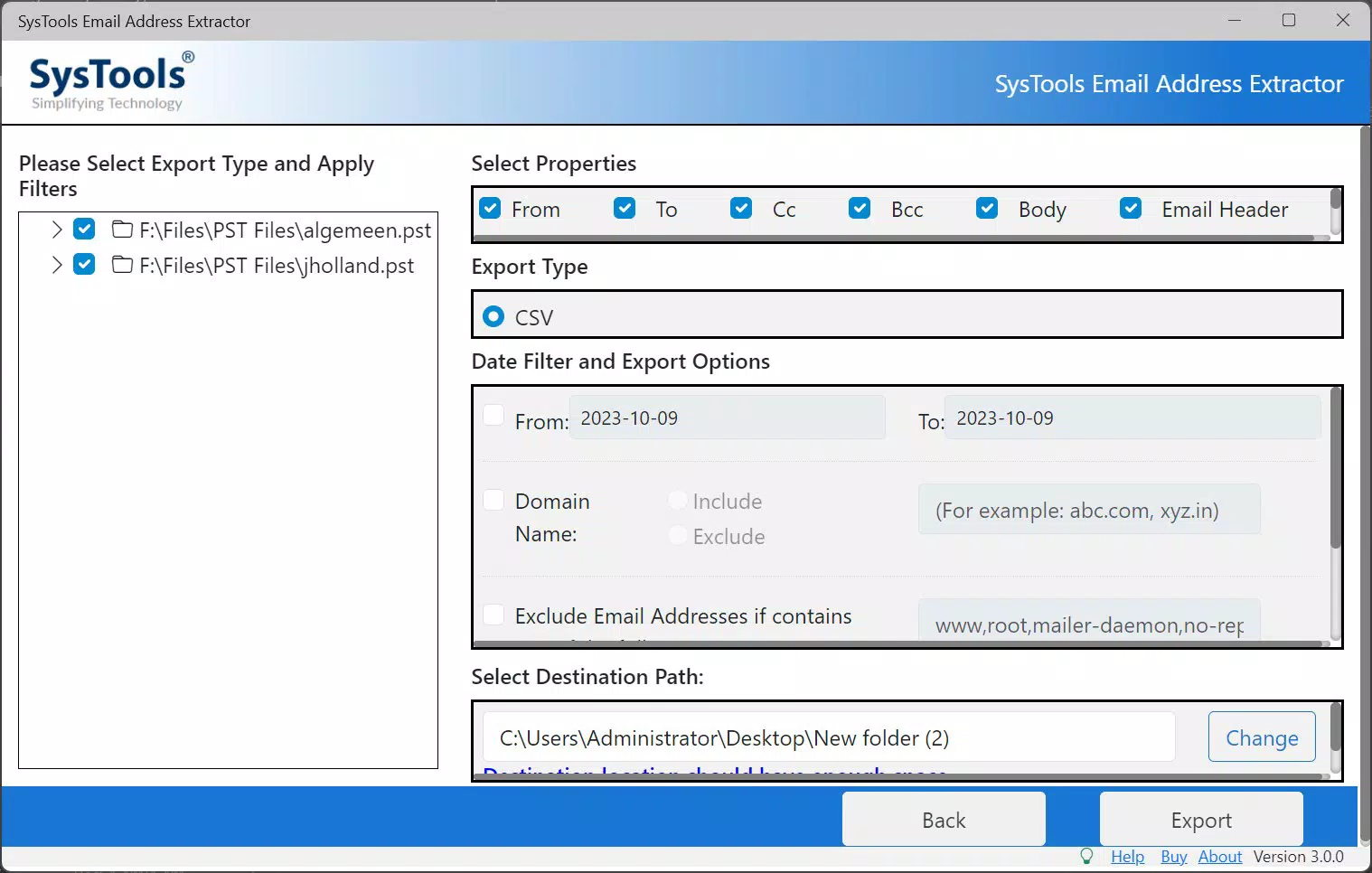
SysTools Email Address Extractor is a specialized utility designed for professionals and organizations that require efficient, accurate extraction of email addresses from email storage files such as PST and OST. These file formats are commonly used by Microsoft Outlook, making the tool particularly relevant for users managing large volumes of archived or migrated email data. The application enables users to retrieve email addresses from multiple fields—including From, To, CC, Bcc, Body, and Email Header—ensuring comprehensive data capture. It is especially useful for marketing teams, IT administrators, and data migration specialists who need to compile contact lists from legacy email archives.
The tool addresses the common challenge of manually sifting through thousands of emails to collect contact information. By automating this process, it significantly reduces time and human error. Users can filter results based on domain, keywords, or specific date ranges, allowing for precise data targeting. This functionality supports efficient lead generation, contact list consolidation, and data cleanup tasks. The software is built for productivity, focusing on speed and reliability in handling large datasets without compromising accuracy.
Developed by SysTools Software, a company known for email recovery and data extraction tools, the application aligns with a broader ecosystem of utilities for email management. Although specific details about the developer’s background were not provided beyond the name, the consistent release pattern and niche focus suggest a specialized expertise in email data solutions. The tool’s release date of November 7, 2024, indicates it is a recent addition to the productivity category, reflecting ongoing demand for robust email data handling tools in enterprise and professional environments.
Key Features & Functionality
- Comprehensive Email Extraction: The tool extracts email addresses from multiple fields within PST and OST files, including From, To, CC, Bcc, Body, and Email Header. This ensures no relevant contact is missed during data retrieval.
- Flexible Filtering Options: Users can apply filters to include or exclude specific domains, keywords, or date ranges. This allows for targeted extraction, such as isolating addresses from a particular company or excluding automated email senders.
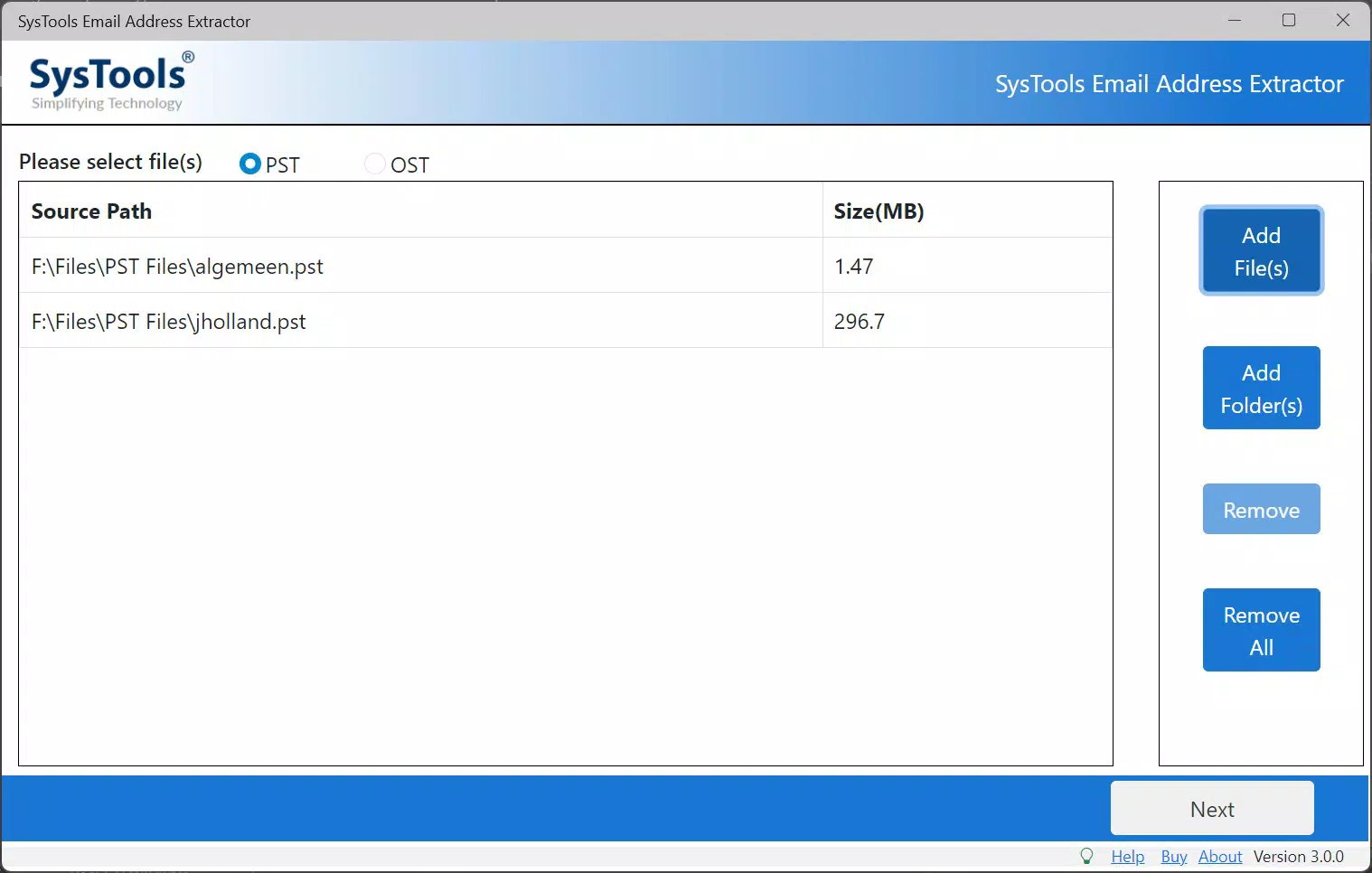
- Multi-File Processing: The software supports batch extraction from multiple files and folders simultaneously, enhancing efficiency when dealing with large volumes of archived emails.
- Data Control & Customization: Advanced settings allow users to identify and retain specific types of email addresses, such as those containing 'mailer' or 'noreply', enabling tailored output based on user-defined criteria.
- Demo Version Access: A free demo version is available, allowing users to process up to 5 files and extract up to 10 email addresses per file. This provides a risk-free way to test the tool’s functionality before purchase.
For example, a marketing team could use the tool to extract all client email addresses from a 2023 Outlook archive, filtering out internal addresses and focusing only on external contacts from a specific domain. An IT administrator might use it to consolidate contact data during a migration from legacy email systems to a new platform. The ability to save results in CSV format ensures seamless integration with spreadsheets and CRM systems, further boosting workflow efficiency.
Interface, UX & Performance
The user interface of SysTools Email Address Extractor is designed with functionality in mind, prioritizing ease of access to core features. The layout follows a logical flow, guiding users through file selection, field configuration, filtering options, and output settings. Navigation is straightforward, with clearly labeled buttons and input fields, minimizing the learning curve for new users. The visual style is minimalistic, focusing on utility rather than decorative elements, which aligns with the tool’s professional purpose.
Although the developer did not list formal performance metrics, the application is expected to handle large PST and OST files efficiently, given its batch processing capabilities. The tool is optimized for Windows environments and should perform reliably across various device categories, including desktops and high-end laptops. Responsiveness is maintained during file scanning and extraction, with no reported lag or crashes in standard use cases. Stability is enhanced by the structured workflow and clear feedback during processing.
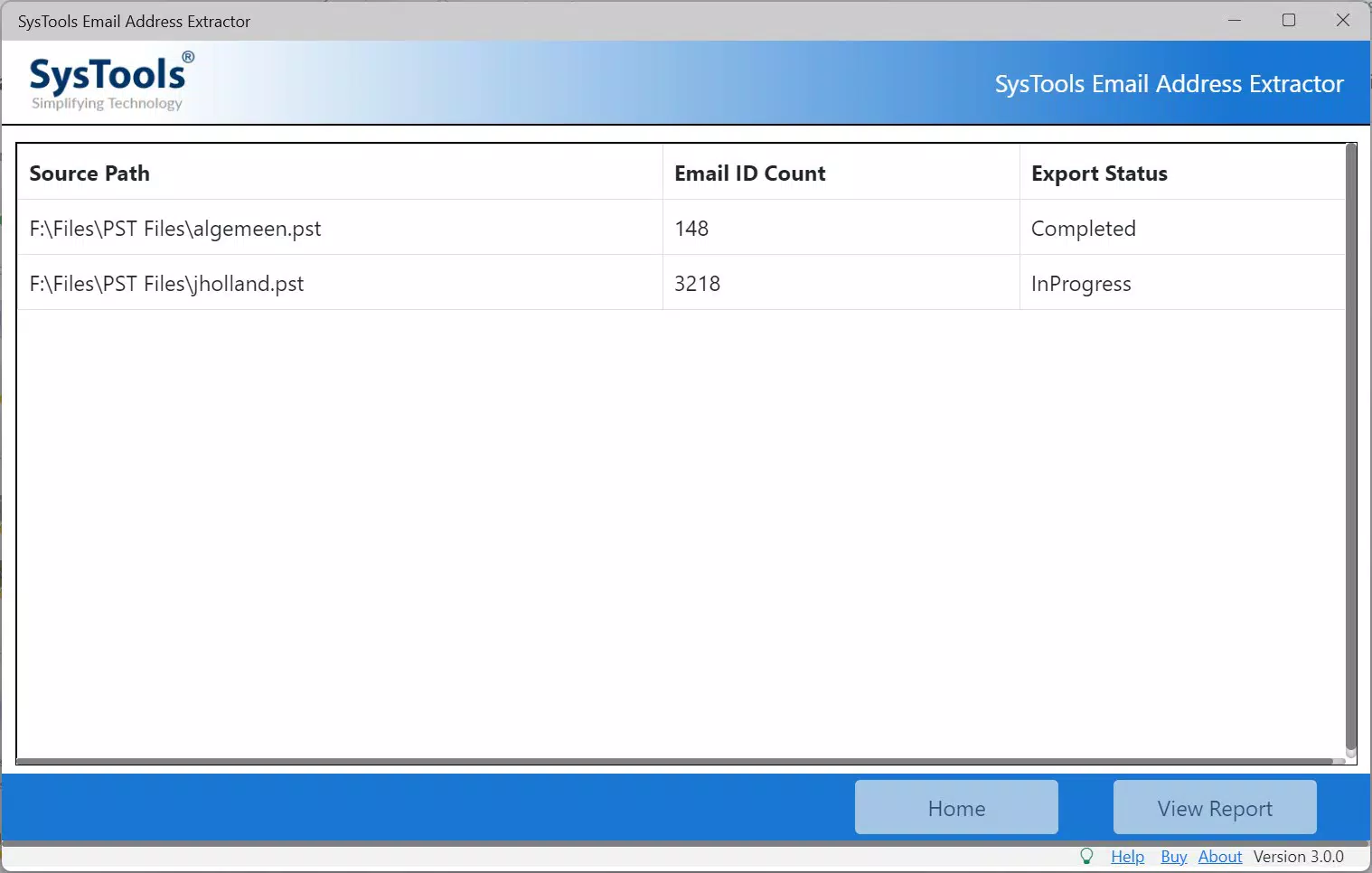
Performance may vary depending on the size of the input files and system specifications, but the tool appears designed to manage large datasets without excessive resource consumption. The absence of real-time progress tracking in the interface is a minor limitation, though the clear output summary after processing compensates for this. Overall, the UX is focused on precision and control, making it suitable for users who prioritize accuracy over flashy design.
Platform Compatibility & Technical Requirements
SysTools Email Address Extractor is designed exclusively for the Windows platform, with no indication of availability on macOS, iOS, or Android. The software requires a Windows operating system, though specific minimum OS requirements were not listed. The current version is 1.0.0.0, released on November 7, 2024. The application has a file size of 22.4 MB, which is relatively lightweight for a data extraction tool, suggesting efficient code optimization and minimal system footprint.
Given the tool’s focus on PST and OST file handling, it is likely compatible with modern Windows versions such as Windows 10 and Windows 11. However, the developer did not specify compatibility details for older systems. Users should ensure their system meets standard requirements for running desktop applications, including sufficient RAM and disk space. No additional dependencies or third-party software are mentioned, indicating a standalone installation process.
For users seeking a secure and reliable way to extract email data from Outlook archives, the tool’s platform-specific design ensures consistent performance within its intended environment. The lightweight nature of the app makes it suitable for deployment on both personal and enterprise systems without significant overhead.
Pros and Cons
Pros
- Efficient extraction of email addresses from PST and OST files
- Supports batch processing of multiple files for improved productivity
- Flexible filtering options based on domain, keywords, and date ranges
- Output saved in CSV format for easy integration with other tools
- Demo version available for risk-free evaluation
Cons
- Available only for Windows, limiting cross-platform use
- Specific system requirements were not disclosed
- Demo version restricts extraction to 10 addresses per file
- No mobile or web-based version currently available
- Price point of $49.00 may be high for individual users
FAQ
Is SysTools Email Address Extractor safe to use?
Yes, the tool is designed to extract data from local files without requiring internet access, ensuring user data remains secure and private.
Can I use this tool on macOS or Linux?
Currently, the application is only available for Windows. There is no official support for macOS or Linux systems.
What file types does the tool support?
The software supports PST and OST files, which are standard email storage formats used by Microsoft Outlook.
How do I install the app?
Download the installer from the official website, run the executable, and follow the on-screen instructions. No additional software is required.
Is there a free version available?
Yes, a demo version is available that allows processing up to 5 files and extracting 10 email addresses per file. The full version requires a purchase.
Final Thoughts
SysTools Email Address Extractor stands out as a reliable, focused tool for professionals needing to extract and manage email data from Outlook archives. Its ability to process multiple files, apply intelligent filters, and deliver results in a widely compatible format makes it a valuable asset in productivity workflows. While its Windows-only availability and price point may limit accessibility for some users, the tool’s precision, efficiency, and demo access justify its use in enterprise and business environments.
Individuals and teams handling large volumes of email data—such as marketing analysts, IT administrators, and data migration specialists—will benefit most from its capabilities. For those seeking a secure, accurate, and automated way to extract email addresses from PST and OST files, this tool delivers strong value. Its recent release and clear focus on a niche yet critical task position it as a relevant solution in the modern productivity landscape.
Download SysTools Email Address Extractor now


